First, identify who issued the VPN warning
When a page displays “proxy or VPN detected,” the first step is to distinguish which layer the message originates from. The common first type is classification labels from IP intelligence data providers; the website calls their API to query whether the current connection address appears in lists of hosting, proxy, or anonymous networks, then directly displays a risk warning. The second type is rejection rules maintained by the website itself, such as allowing only addresses from specific countries or specific ASNs, or blacklisting entire CIDR blocks that have recently shown abuse. The third type is browser environment detection, which uses JavaScript to read WebRTC candidate addresses, DNS resolution results, timezone, language, and other features, and warns when inconsistencies with the page's main connection are found.
The bases and reliability of these three types of judgments are completely different. Data provider labels typically come from historical observations and third-party submissions, with varying update times and possible outdated entries; website custom rules are often tailored to their own experience and are not universal conclusions; browser detection mixes device configuration and network environment factors and does not necessarily indicate a real VPN. Many platforms only provide a vague warning without showing users specific evidence; if the warning is directly taken as “confirmed you are using a VPN,” the actual troubleshooting process is skipped.
Most websites make judgments based on visible requests, address databases, and their own rules, and cannot directly observe the entire encrypted tunnel between the user's device and the remote VPN gateway. Therefore, a page warning is not proof that your VPN protocol has been captured. First, check the labels and their sources in VPN and proxy detection, then combine with system proxy, enterprise tunnel, and carrier egress situations to determine whether it is a configuration issue, an outdated record, or the target website's policy.
What are the differences between VPN, proxy, Tor, and hosting labels?
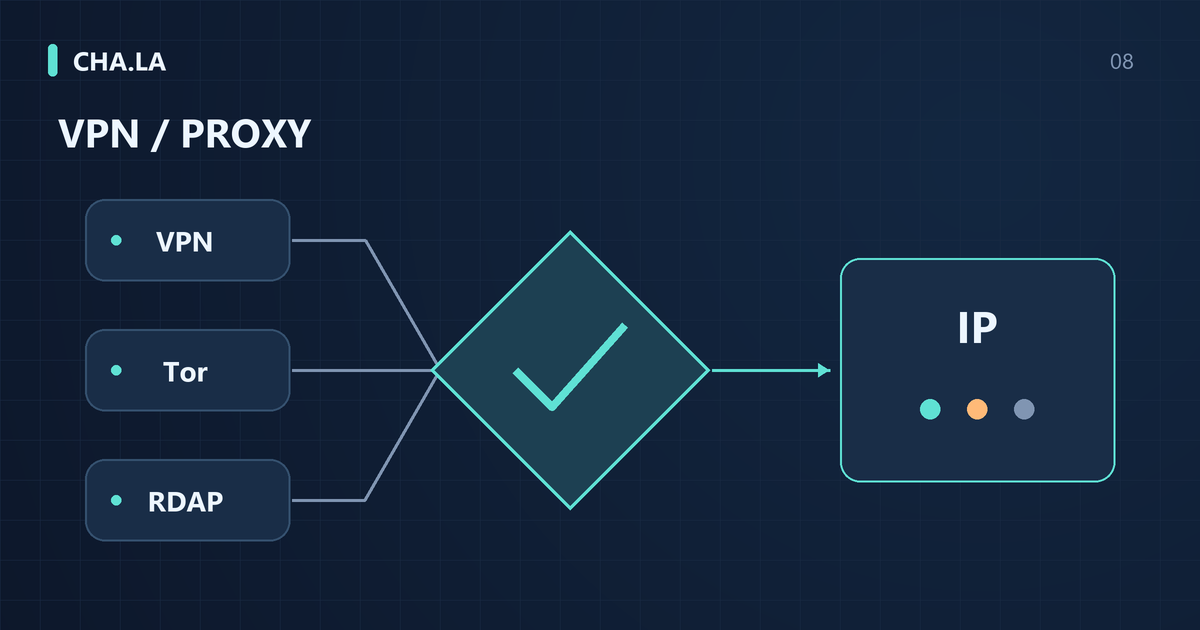
VPNs establish virtual network connections; common remote-access VPNs use encrypted tunnels, but not all networks called VPN are defined by encryption. Proxies typically forward requests for certain applications or protocols, and whether encryption is used depends on the implementation. Tor exit nodes represent the circuit's connection to the destination internet service; ordinary relays do not necessarily have an exit role. Hosting labels are classification clues from data providers about the use of data center or cloud infrastructure; these concepts may overlap but cannot replace each other.
Do not equate hosting with VPN, and do not equate VPN with malicious intent. Enterprises using VPNs to allow employees remote access to internal systems is a common security practice, and individuals using commercial VPNs is also a legitimate privacy choice. Many websites reject hosting addresses outright because a large amount of automated traffic and attacks come from data centers, not because that address necessarily runs a VPN service. Conversely, home broadband addresses may also be temporarily used as exits, and data classification needs to consider time and observation sources.
Tor lists must be read in conjunction with source, update time, and node role: hitting the current exit list only indicates that the source recorded this IP as an exit at the corresponding time; not hitting it does not prove Tor was not used. Ordinary relays, bridge nodes, and exit nodes have different roles; all nodes cannot be uniformly treated as the source for accessing the target website. Retired exits may also remain in some databases due to delayed updates; one should look at the specific entry rather than just reading a single label.
Where does IP classification evidence come from?
The main ways websites or risk control systems obtain IP background include: publicly available address allocation records from Regional Internet Registries, classification databases compiled by commercial data providers, address block lists published by cloud service providers, and their own observations accumulated from attack traffic or login behavior. Official public prefixes only indicate to whom a certain CIDR is allocated, such as a certain cloud vendor or an ISP, not the physical location of the current connection or whether a tunnel is used. Authorized data sources may provide proxy or Tor labels, but their update frequency and judgment rules are usually opaque.
RDAP can provide the registration organization, range, events, and contact roles for address resources; ASN identifies the autonomous system. BGP shows observed route announcements; RPKI origin validation checks whether the prefix and origin ASN comply with valid authorization, but does not validate the full path or user behavior. A registration organization belonging to a cloud service provider is a background clue, but cannot independently prove that the current device uses a VPN; nor can RPKI Valid be used as evidence of good address reputation.
For how to use RDAP and ASN information in judgment, refer to RDAP, ASN, BGP and RPKI: What IP Lookup Data Can Prove. Do not rely solely on a single label to draw conclusions. Actual traffic observations may have biases; for example, a shared address abused by a few users leads to the entire IP being blacklisted. Data provider classifications may conflate hosting segments with VPN segments, or may miss newly emerging anonymous services. The more specific the evidence, the more reliable: time, source, address, updated lists are more valuable than a simple “high risk” conclusion.
Troubleshooting order when ordinary broadband is flagged
When a home broadband or mobile hotspot address is flagged as a proxy, first check local settings. The operating system or browser may have a manual proxy configured, and some extensions also change the egress; company computers may have mandatory VPNs or security tunnels installed. Next, check the current network environment: an enterprise gateway may uniformly egress to a data center, and carriers may use CGNAT to allow multiple users to share one public IPv4 address. Sharing means the same address may be used by other users simultaneously, thereby inheriting their risk labels.
Dynamic allocation, address transfer, or usage changes can cause old labels to not match the current environment, but one should first confirm the actual allocation records and not assume that all dynamic broadband addresses were previously used for VPS. Public RDAP queries generally provide current records and some event fields but do not guarantee complete historical snapshots. You can verify the address allocation time with the carrier and compare it with the list entry and its update time; when checking IPv4 and IPv6 separately, also confirm that the two queries target the same service path.
This type of troubleshooting requires combining the approaches in Public IP Lookup and CGNAT: How to Check Your Connection: confirm whether you are seeing a public address or a carrier-private address. If it is CGNAT, the externally visible egress differs from your local address, and risk labels may come from other users in the same pool. Do not immediately conclude that the database is wrong; your environment may indeed have a corporate tunnel or hotspot proxy. Record the time, network type, and address, then compare with the website's judgment time to locate the cause of the misjudgment.
Illustrative case: corporate network and mobile hotspot
Suppose an employee accesses a region-restricted service on a company computer in the office, and the page shows "VPN detected." At the same time, the employee connects to the same service using a mobile hotspot, and the warning disappears. This case is purely illustrative and does not represent any real test. A possible cause is that the company network egress goes through a corporate VPN or security gateway, and the egress address falls within a data center range, which data providers label as hosting or proxy. The mobile hotspot uses a carrier address, classified as residential or mobile, and does not trigger the same rule.
In this hypothetical scenario, you need to separately record the network type, access time, egress IP, and presence of corporate tunnels for the company computer and the mobile hotspot. The company computer may have a global VPN or proxy configured, with consistent DNS resolution and connection egress; the mobile hotspot has none of these settings. Even if the egress IPs differ, you cannot directly attribute the issue to a specific employee, because corporate egress is usually shared, and many employees may use the same address at the same time.
Further investigation can check the company computer's routing table or system proxy settings to confirm whether traffic is forced through a tunnel; check the RDAP information of the egress IP—if it belongs to a cloud provider or hosting range, it matches the website's risk rule. The mobile hotspot records serve as a control group, showing that the same account and same device (if the phone provides a hotspot but still uses a computer browser) yield different results on different networks. This illustration shows that the page warning may stem from the network environment rather than the user actively enabling a VPN, and attribution to an individual is impossible under a shared egress.
How to compare conflicting results from multiple detection websites?
Different websites giving different labels for the same IP is common. When comparing, first look at each source's definition of "proxy" or "VPN": some count hosting ranges as proxies, others only recognize commercial VPN egress; some include Tor exits, others exclude them. Next, look at update times—one list may have been updated two days ago, while another was just scanned, leading to different results. The queried address also matters: you see the IPv4 address of the page's main connection, but actual WebRTC may leak another IPv6 address, and the website may judge based on different addresses.
Coverage differences are equally important. Some data providers only cover popular cloud provider ranges and cannot identify small VPS or emerging proxies; others may mark entire countries or carrier ranges as high risk. IPv4 and IPv6 allocation and management are independent, and the same provider may give different results for the two protocols. Prioritize checking raw records, such as allocation information returned by RDAP, BGP route snapshots, or the specific time and reason of blacklist entries, rather than just looking at the scores displayed on websites.
Do not simply take a majority vote across multiple websites; a majority saying "yes" does not make it fact. Do not treat one provider's highest confidence as probability. Confidence is an internal scoring by the data provider, possibly influenced by historical abuse or shared egress, with no public calibration. The safe approach is to record each source's definition, update time, queried address, and raw evidence, then combine them with your own network environment. Unknown does not equal safe; a miss may simply be a list gap. Classification does not equal maliciousness; a hosting range being flagged does not indicate user misconduct.
How to display misses and unknowns without misleading
Query results must distinguish four situations: empty list, service timeout, stale source, and successful query with no match. They cannot all be shown as green and safe. An empty list may mean the current data source has not included relevant records, or system initialization is incomplete. A service timeout means the upstream interface did not return within the agreed time and cannot be equated with no risk. A stale source means the local cache timestamp is earlier than the check window, so results may no longer reflect the current state. Only when the query succeeds and explicitly returns a miss can you say there is no matching entry under the current rules of that data source. A miss is not a safety guarantee, because data source coverage is limited, and no list can exhaust all proxies, VPNs, or abusive egresses.
IP geolocation, ASN, BGP, and RPKI describe location estimates, registration context, and routing status, not proof of malicious behavior. An ASN announcing a prefix does not mean every address in the range has the same purpose; an RDAP registration as a cloud provider does not mean the current IP is running a proxy. The page should clearly state whether the label describes infrastructure, historical behavior, or real-time events, so readers know what object and time the conclusion applies to.
The presentation layer should use different visual hierarchies for different states and explicitly state in the copy that "no record" does not mean "pass." For example, as mentioned in IP Reputation Check: Risk Scores, Blocklists and Proxy Tags, it is recommended to provide retry options for timeout and stale data, and label misses with "not found in current source, but uncovered risks may exist." If users see a green icon, they should at least know the specific conditions corresponding to green. Operators can also record the data source version and timestamp of each query for later review. This avoids misinterpretation and leaves an evidence trail for appeals.
False positive rate is not accuracy
Suppose a test has a sample size of 1000 independent addresses, with 25 true proxy addresses and 975 non-proxy addresses. The classifier marks 30 as proxies, of which 20 are correct hits on true proxies and 10 are false positives; it marks 970 as non-proxies, of which 5 are missed true proxies and 965 are correctly excluded. Precision = 20/30 ≈ 0.667, recall = 20/25 = 0.8, false positive rate FPR = 10/975 ≈ 0.0103. This confusion matrix is illustrative, not measured on this site, because calculating it requires supervised data with true labels.
Accuracy is the proportion of all predictions that are correct: (20+965)/1000 = 0.985 in this example. That looks high, but non-proxy addresses make up most of the sample, so the many true negatives can make overall accuracy look strong while obscuring false positives among flagged addresses. Consider FPR and precision as well. If a proxy label directly triggers a block, 10 of the 30 flagged addresses in this example would be blocked even though they are not proxies. Address counts do not tell you how many individual users are affected. With more legitimate traffic, false positives can affect more requests. Proxy prevalence, overlap with historical blocklists and the distribution of the deployment population can also change these metrics.
Therefore, accuracy cannot simply be equated with the user-perceivable false positive rate. To demonstrate detection quality, one should report sample size, positive definition, time window, and source distribution together. Otherwise, a high accuracy figure may conceal a large number of false positives. For ordinary users, when encountering a "proxy" label, it is necessary to understand which data source the label comes from, which specific entry it matches, and when it was last updated. If such context cannot be provided, the label itself is questionable. Operations personnel should also not issue bans based solely on a single label.
Browser leak testing is another issue
WebRTC, DNS, and IP reputation detection answer different questions. WebRTC may collect host, srflx, or relay candidates, and the specific exposure scope is affected by browser privacy policies and network configuration; HTTP requests are transmitted according to their proxy and routing rules; what DNS tests typically see is the source from which the recursive resolver sends queries to the test authoritative server. Different addresses may be fully consistent with the design; only by comparing against the expected path can one determine whether there is undesired information exposure.
Browser features such as timezone, language, and Canvas cannot independently prove the use of a VPN or fraud. It is also not necessarily abnormal if the DNS resolver and HTTP egress are not in the same region; public resolution services and Anycast affect geolocation. Results can be recorded separately in Browser environment check, and then checked against WebRTC, DNS and IPv6 Leak Tests: How to Read the Results for proxy scope, resolver selection, and WebRTC candidate types. First confirm which type of exposure does not meet expectations, then adjust the corresponding configuration.
Therefore, when a website prompts "proxy detected," one should not first attribute it to browser leaks or WebRTC errors. Browser leak results and IP reputation labels should be verified separately. If the leak test shows a local address but external detection marks the egress IP as hosting, it may simply be carrier routing or a shared egress. If both are abnormal, then consider the user's device or network configuration. Operators can combine the two types of signals, but they must understand that they come from different layers and have different misjudgment mechanisms.
How to submit an effective review to the maintainer
When submitting a review, provide the public address at the time, time and timezone, specific label, affected service, and data source. Address allocation proof can come from carrier records you are authorized to obtain; RDAP is an internet resource registration query, not a function of the router itself, and cannot replace a personal broadband lease. Generally, there is no need to submit complete internet logs or CGNAT mapping details. The scope of what the maintainer can correct depends on whether it manages a classification database, list entries, or the website's own rules.
Google's abnormal traffic documentation can help distinguish shared networks, automated requests, and browser issues. If you encounter a Cloudflare challenge loop, refer to its challenge troubleshooting documentation to check whether the browser is supported, whether scripts or extensions interfere, and whether the network is stable; retain the Ray ID and time of occurrence when the website needs to investigate. These documents explain troubleshooting directions for their respective products, not a universal IP unblocking commitment.
Different data providers have different review requirements; some accept end-user feedback, while others require the address block administrator to prove control, and requests should be handled through the specific correction channel. Write the request as a verifiable issue, for example, "This entry's time predates the current address allocation; can you verify the purpose," and attach necessary evidence. If the actual blocking is implemented by the target website, also ask about the rules and data sources it uses; modifying a public database does not guarantee that all websites will update immediately.
How website operators can reduce false positives
Operators should not turn IP classification into a binary switch. Mark signals such as hosting, VPN, Tor exit, and relay with separate weights, and combine them with login behavior, device fingerprint, historical sessions, and abnormal frequency for comprehensive decisions. Sensitive operations such as password changes and withdrawals can set higher thresholds, while ordinary browsing can be relaxed. In this way, even if an IP is incorrectly listed in a proxy pool, the account will not be immediately locked. Classification itself is not malicious; false positives often come from outdated data sources or shared egress, such as CGNAT mapping many home users to one IPv4.
Operators can record rules, data source versions, hit times, and appeal review results in logs. After confirming a false positive, they should correct the erroneous rule or remove the relevant blocking entry; if a temporary allow rule is used, its scope should be limited and a review time set, and "removed from whitelist" should not be mistakenly written as unblocking. /24 Subnet Reputation: Coverage, Risk Rates and Unknown IPs can help understand records of adjacent addresses, but the number of labels alone cannot confirm whether a certain block is shared, belongs to the same tenant, or has common malicious behavior.
Do not hide the consequences of blocking an entire range behind a single IP label. If you block an entire prefix because a few addresses in a /24 have proxy history, you need to explain this to users. A better approach is to trigger a CAPTCHA or second-factor verification only for high-risk actions, rather than denying service. Monitoring metrics should include false positive rates by ASN, by data source, and by time period, rather than average accuracy. In this way, when a data source suddenly marks an ISP's addresses as hosting in bulk, you can quickly roll back and reduce support ticket pressure.
Common FAQs and acceptance boundaries
Residential access type does not guarantee that an address has not been used as a proxy exit; conversely, a terminal running a VPN client does not mean that the local residential address is providing proxy services for others. After turning off the VPN, new web requests may immediately switch to another exit, but the old address's record in the database may not disappear; updates depend on the source and retention policy. When reviewing, it should be clear whether comparing the label change of the same IP or the query result of another address after switching exits.
No label does not necessarily allow login. Many websites have their own risk control rules, such as requiring the IP's ASN to belong to the target country, not allowing data center access, or disabling IPv6 tunnels. Even if all third-party data sources miss, the website may still refuse due to abnormal cookies, inconsistent browser fingerprints, or request frequency. When seeing a "proxy detection" prompt, first separately check environment detection and IP reputation data, and record which page and which request triggered the challenge. If RDAP shows that the current IP belongs to a corporate dedicated line or cloud server, even if you have not actively opened a VPN, it is easily marked as hosting.
Conclusions can only be limited to the current evidence and the specific website. The same IP may be marked as a proxy on site A but completely normal on site B, because each site has different data sources and thresholds. When encountering problems that cannot be solved, continue to troubleshoot the process in IP Blocklists and Repeated CAPTCHAs: Troubleshooting Guide, focusing on collecting time, IP, prompt screenshots, triggering actions, and distinguishing between network-layer blocking and application-layer CAPTCHA. Do not frequently change IP or modify browser fingerprints to evade, as that will conceal the real cause and violate some platforms' terms.